small-hero-bg
Mobile work without internet. Your data in SAP without delay

Run SAP Apps Offline Without Losing Control.
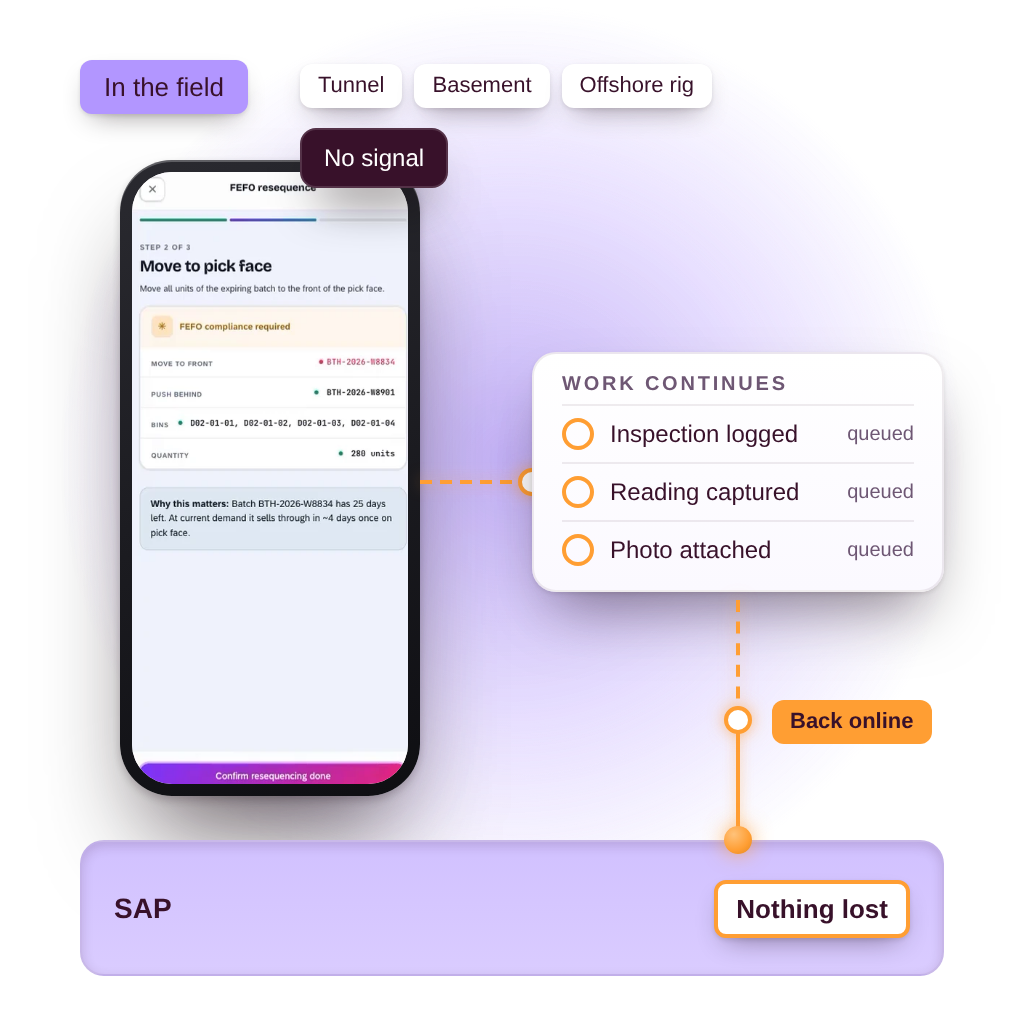
Neptune lets you build SAP apps that stay productive even when connectivity is unavailable. Whether your teams work underground, on the road, or in remote zones, they can capture, edit, and submit mission-critical data. Everything syncs back to ECC or S/4HANA once they are back online. No interruptions. No rework. No compromises.
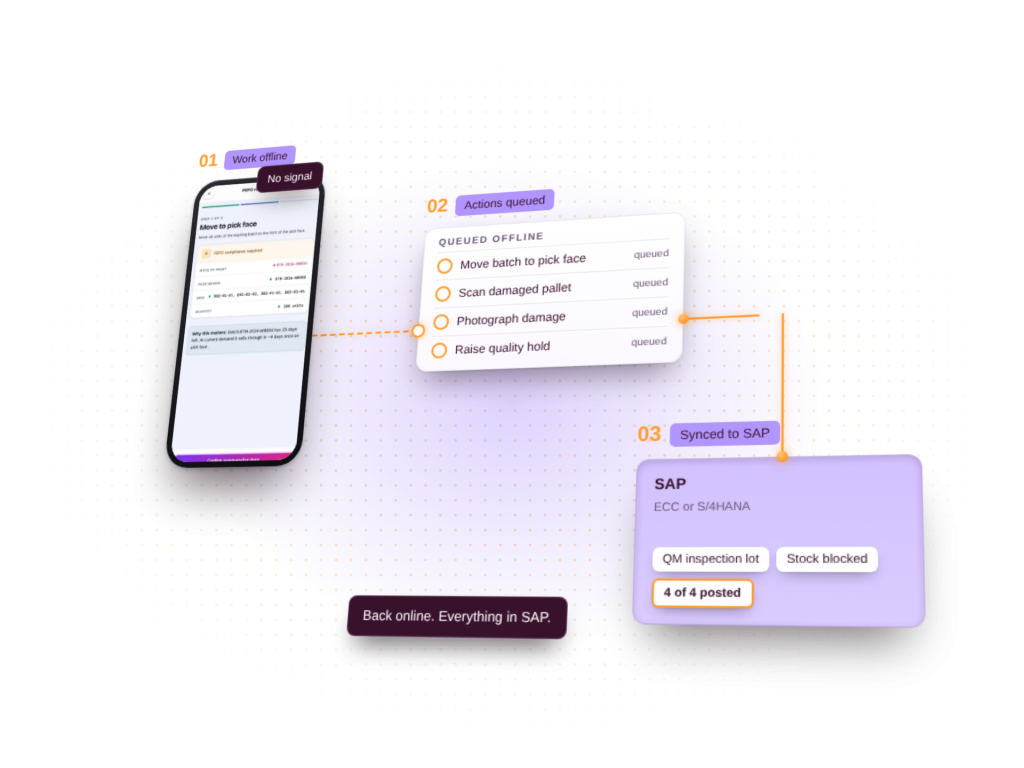
Offline SAP mobile app: work continues without signal, actions are queued and post to SAP ECC or S/4HANA once back online

Trusted in the Field, the Factory, and the World’s Harshest Conditions

FONTERRA_WHITE
FORSVARET_WHITE
JOLLYROOM_WHITE
NZ DEFENCE_WHITE
STATKRAFT_WHITE
FONTERRA_WHITE
FORSVARET_WHITE
JOLLYROOM_WHITE
NZ DEFENCE_WHITE
STATKRAFT_WHITE
For teams in the field & IT who supports them

Offline Capability. Online Confidence.

With Neptune, your SAP apps keep running no matter the signal strength. From warehouses and repair tunnels to offshore plants and delivery fleets, your users stay productive and your SAP system stays in sync. 
For Suits For Geeks

Field Ops / Business Teams.

  • Capture data anytime, even without coverage.
  • No lost tickets, reports, or handovers  .
  • Mobile apps that work on tablets, phones, and scanners.
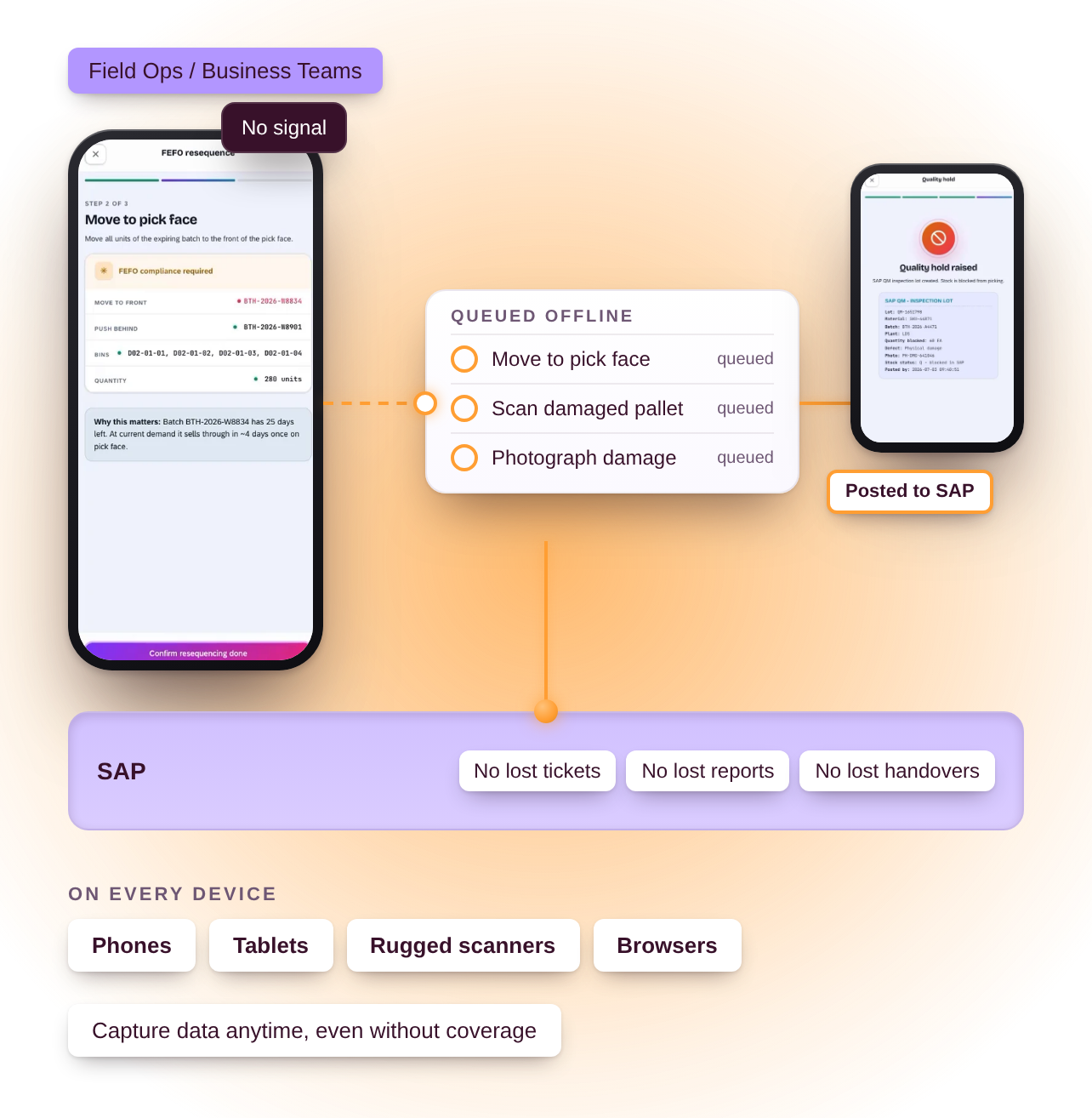
Offline SAP app on a phone: warehouse actions queued without signal and posted to SAP, with no lost tickets, reports or handovers

IT Teams / Developers.

  • Offline-first architecture and caching controls.
  • Full control over sync logic, timing, and retries.
  • Works on iOS, Android, rugged, and web devices.
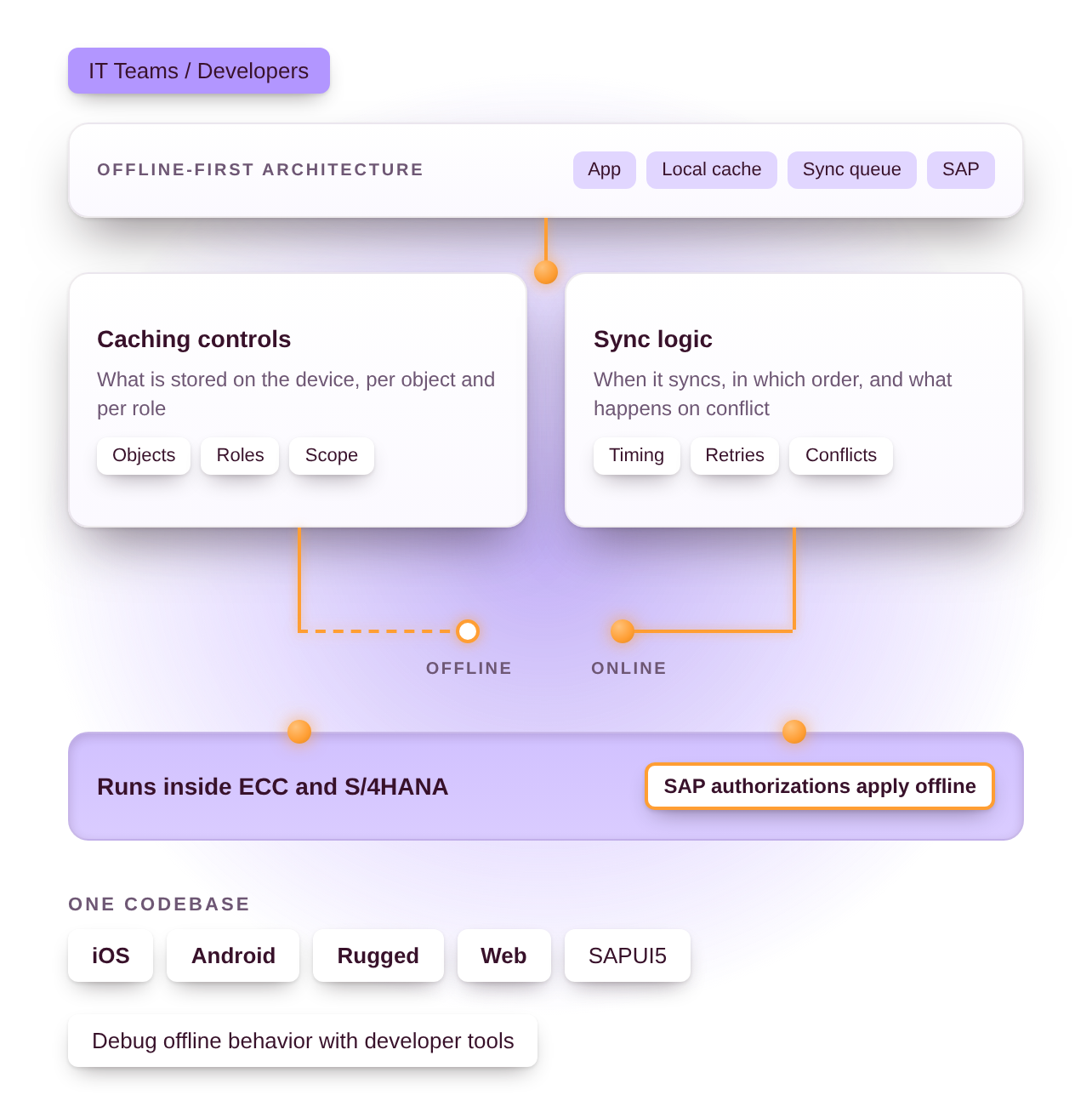
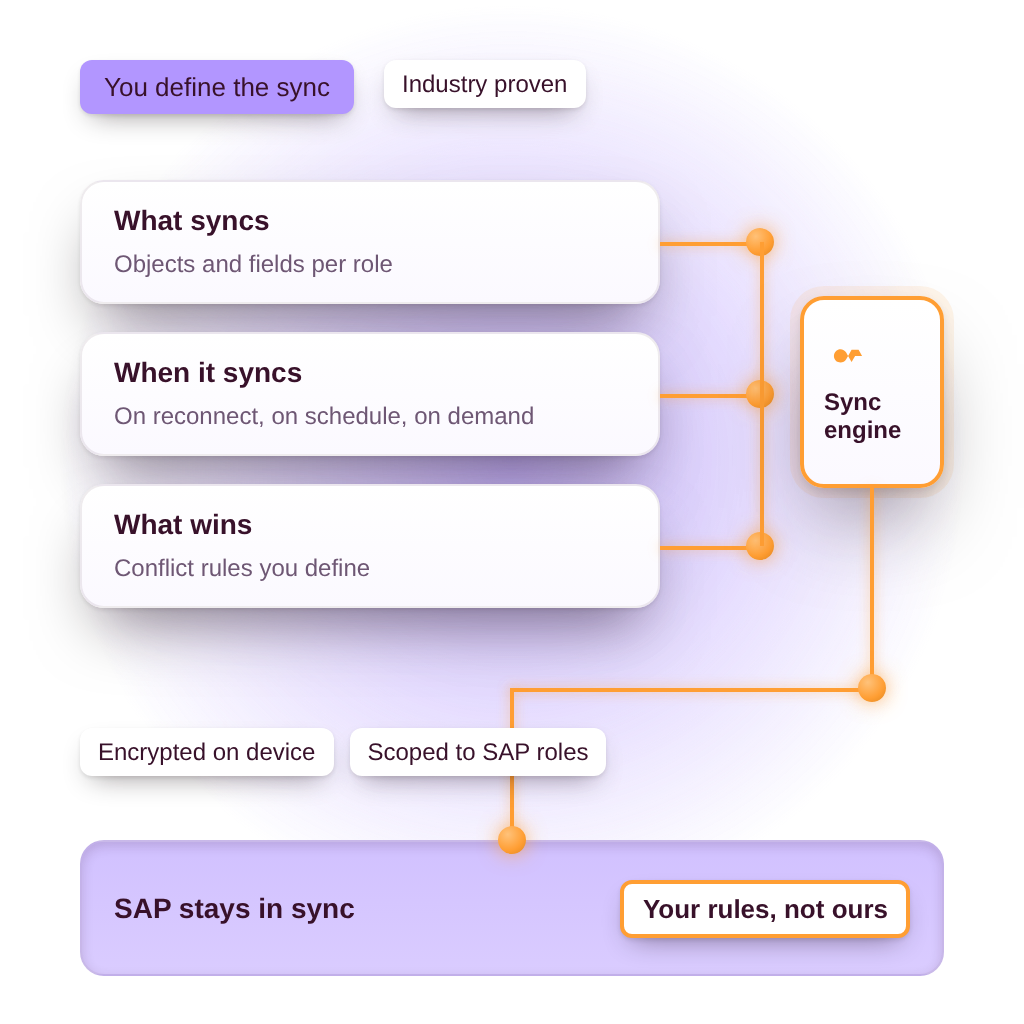
Offline-first architecture: app, local cache and sync queue to SAP, with caching controls and sync logic per object and role
Why offline really works with Neptune

Built for the Edge. Synced With SAP.

computer

Offline Without Rework

Capture and queue actions while offline. They will sync automatically when you are back online. 

code

Your SAP Logic, Offline

Neptune lets you define exactly how and when data syncs, using SAP authorizations, roles, and objects.
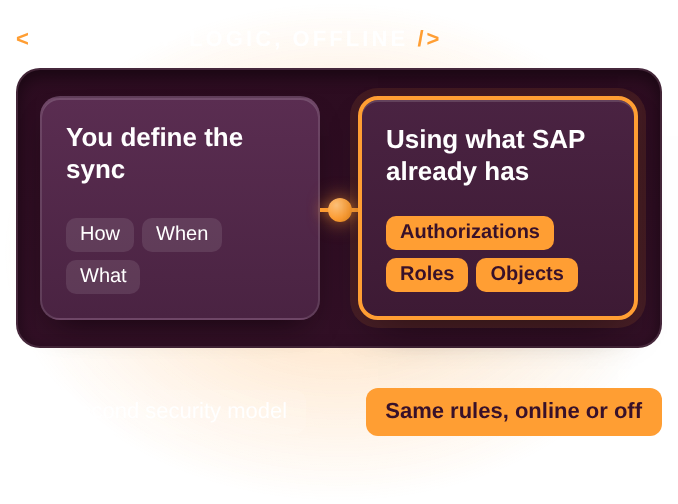
You define how, when and what syncs offline, using SAP authorizations, roles and objects, with no second security model
mouse

No Device Left Behind

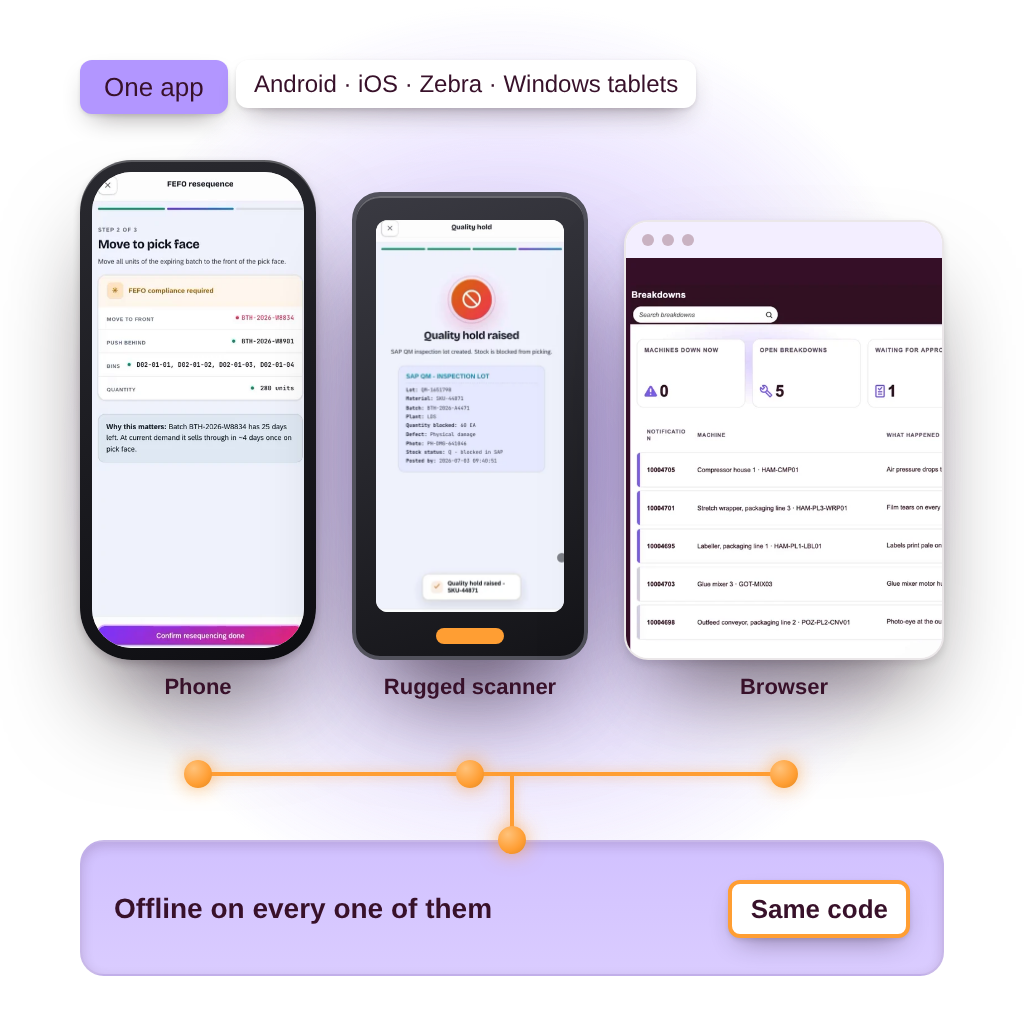
Run offline apps on phones, tablets, rugged scanners, or browsers. Whatever your team needs, wherever they go. 

What makes offline work seamlessly

Features That Power SAP
Mobility Online or Off.
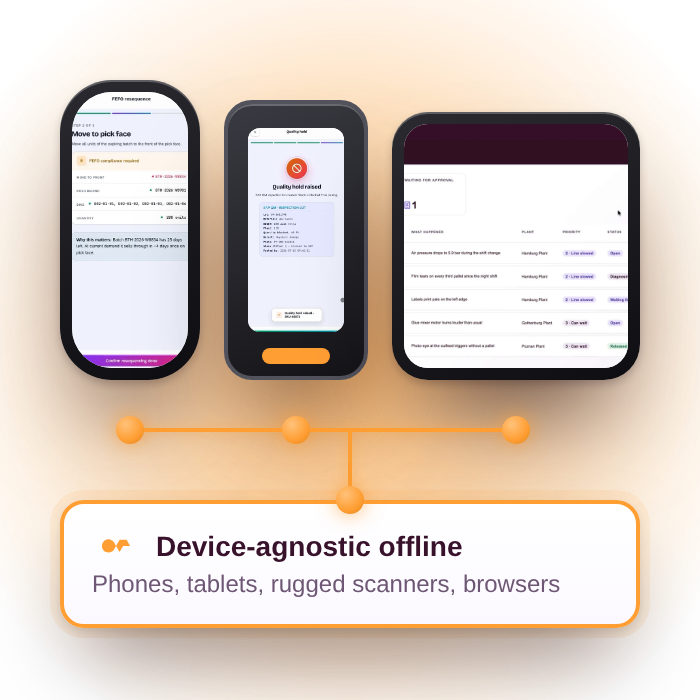
Device-agnostic offline support on phones, tablets, rugged scanners and browsers
Universal Device Support

Device-agnostic offline capabilities for phones, tablets, rugged scanners, and browsers.
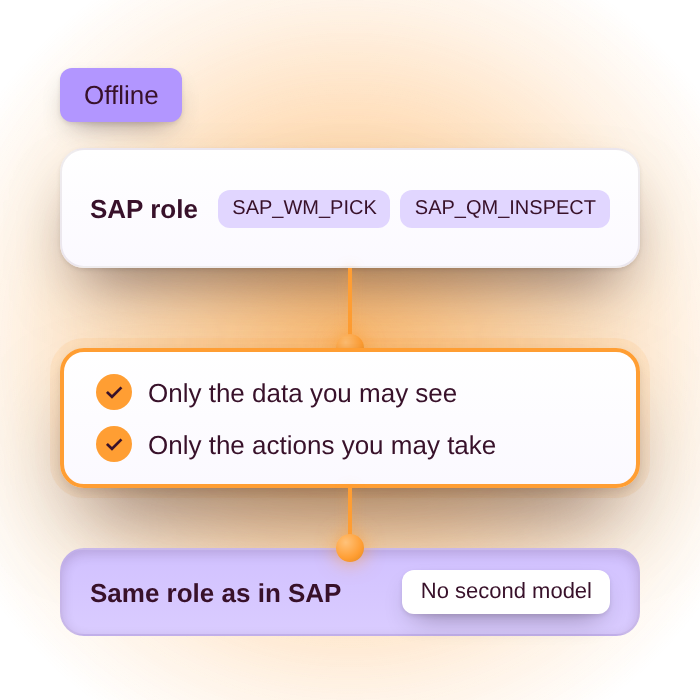
Offline access follows the same SAP role: only the data you may see and the actions you may take
Secure Role-Based Access

Respect SAP authorizations and user roles even when disconnected.
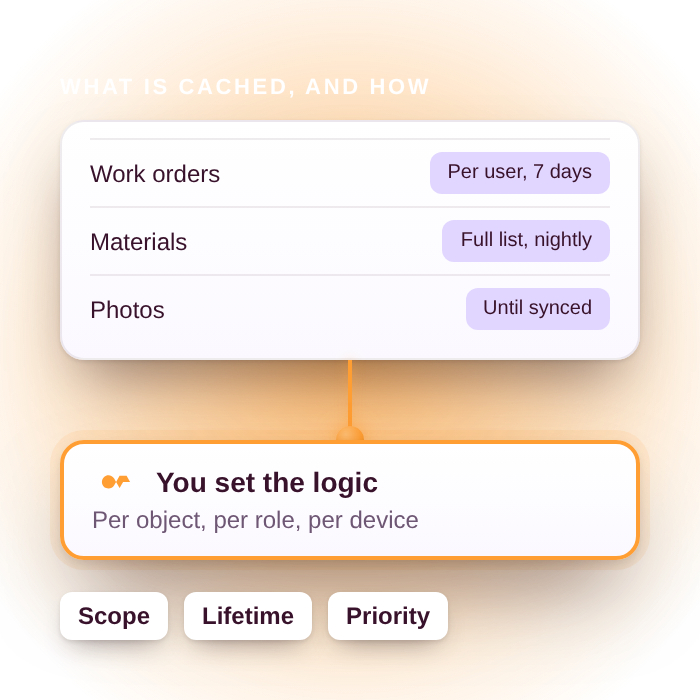
Customizable caching logic per object, role and device, such as work orders for 7 days and materials nightly
Customizable Caching Logic

Define caching behavior and data availability for each offline scenario.
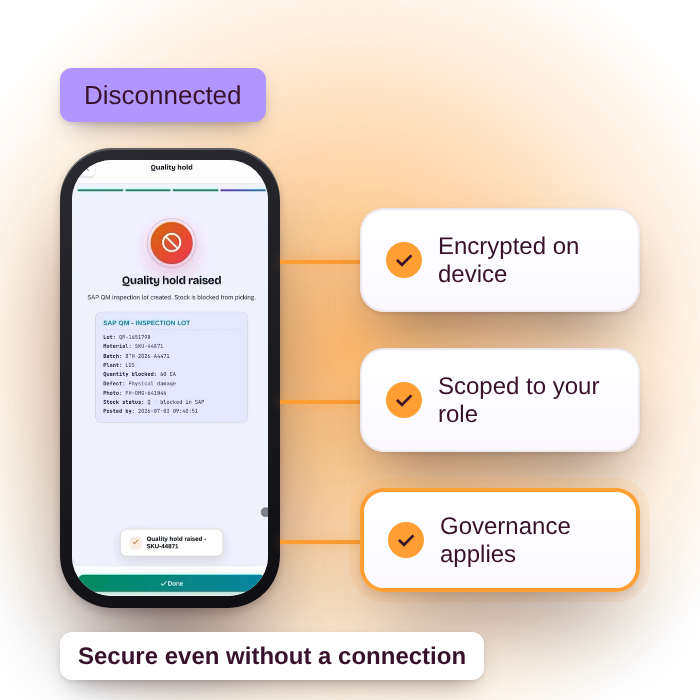
Built-in offline security: data encrypted on the device, scoped to your role and governed
Built-In Security

Includes authentication, encryption, and user-level controls out of the box.
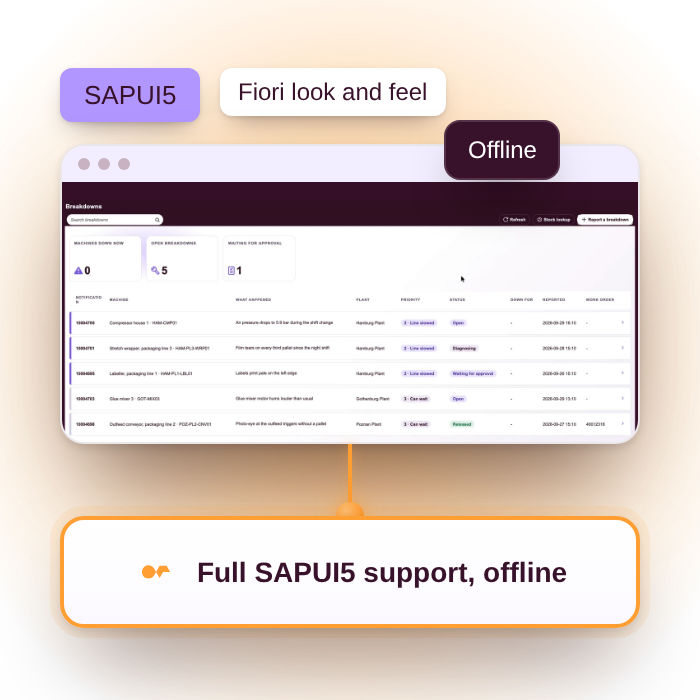
Full SAPUI5 support offline, with the Fiori look and feel
Offline SAPUI5 Support 

Build with UI5 components that work seamlessly in offline mode.
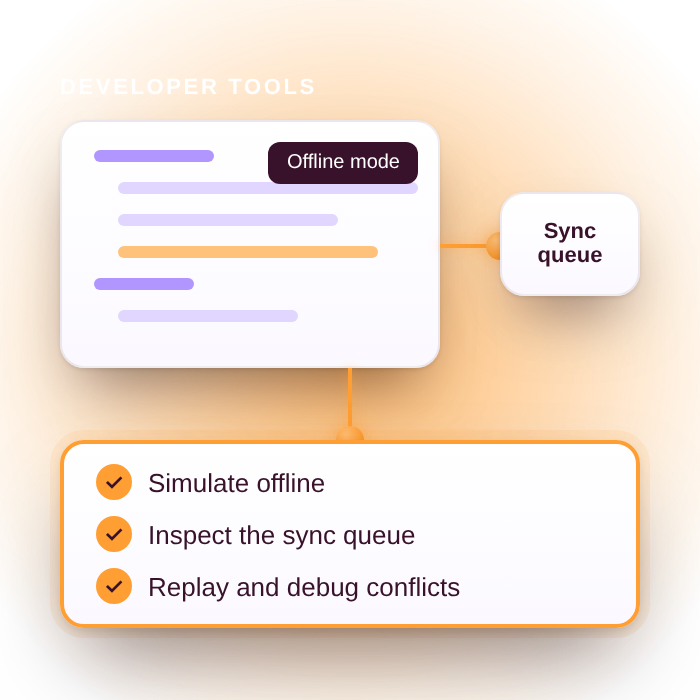
Developer tools to simulate offline mode, inspect the sync queue and replay conflicts
Developer Debugging Tools

Trace sync behavior, test error handling, and validate offline logic easily.

“Our mobile workforce now works uninterrupted, even underground or on remote sites. Neptune’s offline capabilities changed everything.”

Maintenance Manager
Utilities Sector

Quote Icon Individual

Frequent
Asked Questions

Didn’t find what you need?

Neptune supports any modern mobile browser including Android, iOS, rugged scanners, and tablets. No special hardware is required.

Yes. Neptune works across both ECC and S/4HANA with no middleware or external sync engine needed.

Apps automatically reconnect and push updates back to SAP. You can configure retry logic, conflict resolution, and user prompts.

Yes. All offline data is encrypted and scoped to the user’s SAP authorization. Offline access follows your governance rules.