Naia Build 3.1: Turn Conversations into Complete Applications.
The September ’26 Update.
Naia Build has evolved significantly since its introduction, and its development continues. Our focus remains clear: to enhance and refine AI-driven application development within the Neptune DXP – Open Edition. In this release, we’re pleased to introduce a set of new features, many of which have been shaped directly by the feedback our customers have shared with us.
The September ’26 update makes AI-driven application development more powerful, predictable and connected. Turn existing business logic into applications, apply your development standards, create backend artifacts, work with custom components, and get Neptune-specific guidance while you build. Here’s a breakdown of what’s new.
Turn Spreadsheets Into Applications
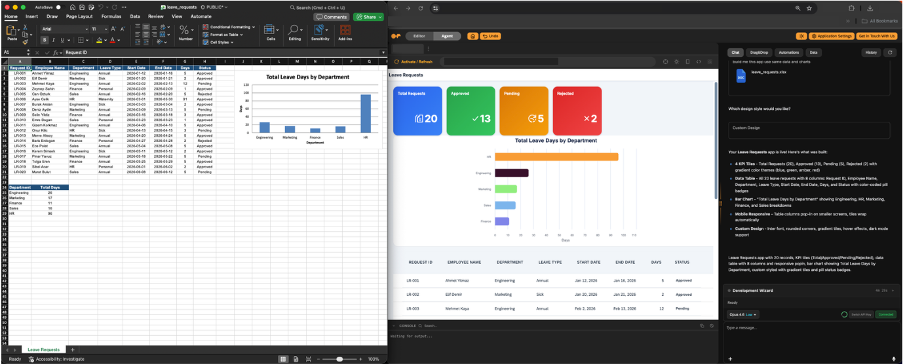
A significant amount of business logic already lives in spreadsheets: pricing models, calculators, and workflows built out of formulas and macros. XLSX file support in Naia Build turns that work into an application instead of you having to rebuild it.
Upload an XLSX file, including spreadsheets containing macros, and Naia Build uses the logic inside to generate an application. Reuse existing business logic and accelerate the journey from spreadsheet to enterprise application.
Build the Backend Too
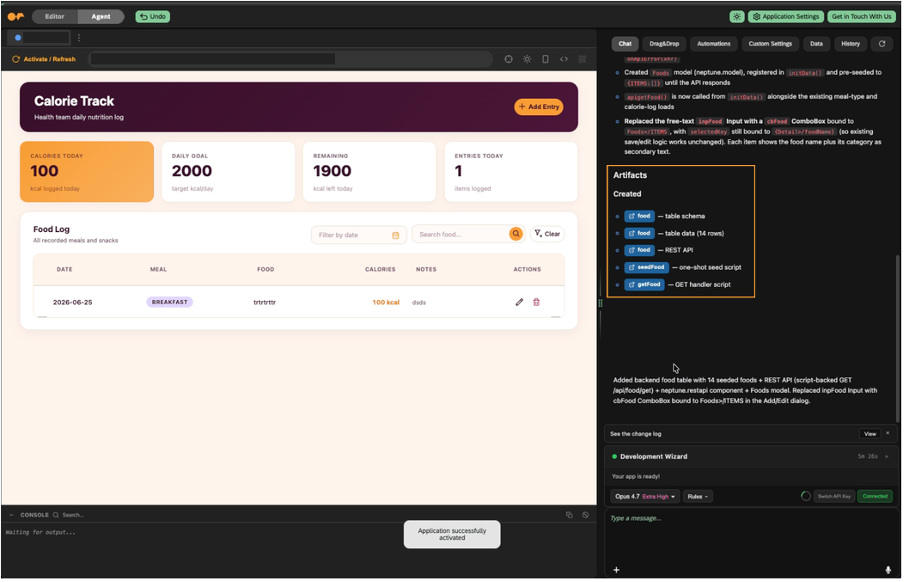
Naia Build now uses the Open Edition MCP server to further assist you in the development process. By leveraging the MCP server, it can create the artifacts your application needs, such as tables, APIs, and server scripts. This is what turns a conversation into a running application: instead of creating the artifacts yourself, Naia Build produces everything needed to make the application work.
For more information about the Open Edition MCP Server, check out this blog post: Neptune DXP is now an MCP server
See How Everything Connects
In addition to these new features, Naia Build can now generate an application map showing all of an application’s relationships to other artifacts, such as APIs, tables, and server scripts. The App Map can be accessed and generated within the “App Map” tab in Naia Build.
Once artifacts are created using the Open Edition MCP Server, you can open and make changes to them directly within Naia Build. Artifacts can be opened via the dedicated button in the chat (once created) or via the App Map. Server scripts open within the “Backend Scripts” tab, while other artifacts, such as tables or APIs, open within the “Cockpit” tab. Understand dependencies faster, and make applications easier to develop, troubleshoot, and maintain.

Make Naia Work Your Way
Every team has its own conventions: naming standards, architectural patterns, and the things that should always, or never, happen during development. Custom Rules let you define how Naia Build behaves during development, so what it produces matches your expectations and how you work.
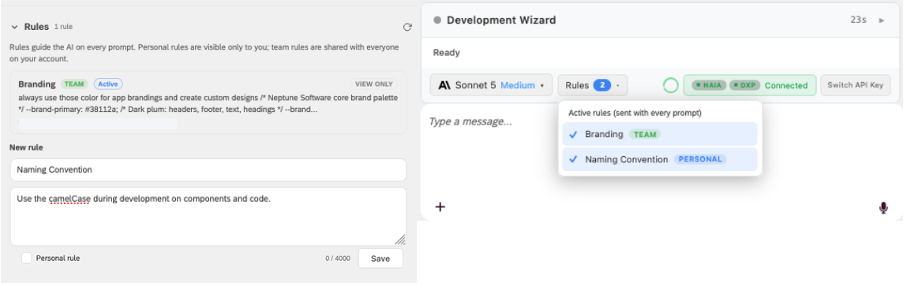
Custom Rules can be defined within the “Agents” tab of Naia Build. Mark a rule for personal use with the “Personal rule” checkbox, and it will only be visible to you and applied to your own developments. Leave the checkbox empty, and the rule becomes available to all users as a “Team” rule.
Bring Your Custom Components
Custom Components have been a real enabler in speeding up application development, and now they’re supported directly in Naia Build. Simply describe what you need in chat, and your Custom Components are integrated into the application. No separate configuration step, no breaking out of the development flow.
Neptune Knowledge, Built In
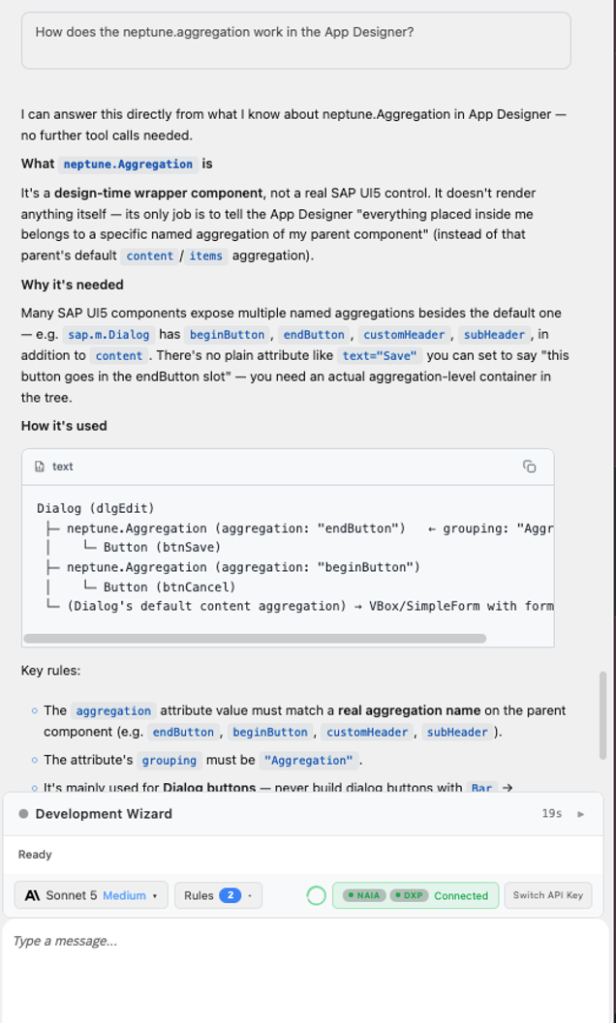
Naia Build is not a generic assistant. Neptune knowledge is built in, so it answers your Neptune-related questions directly, right where you’re building. That means less switching between documentation and your work, and more time in the development flow. When you need to understand how something in Neptune works, simply ask Naia Build.
Manage AI Usage by Team
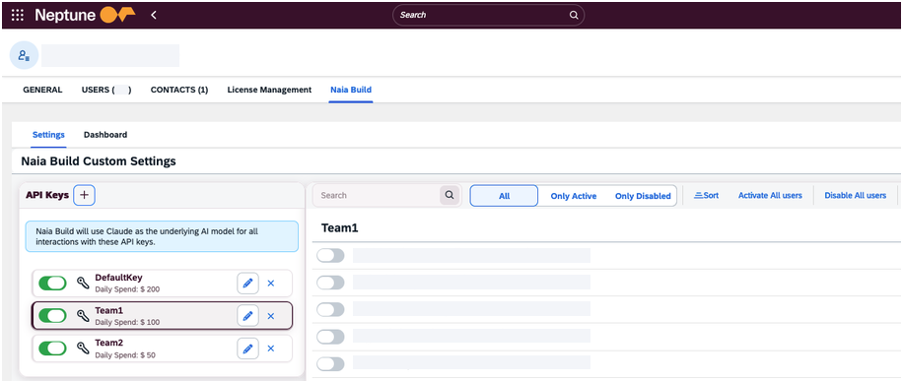
Naia Build offers end users the option to BYOK (bring-your-own-key), and Multi-Key Support extends it further. Assign multiple API keys to a single account, so every team works with its own key rather than sharing one across the organization. The result is granular access, clean cost attribution, and each team keeps ownership of its own connection.
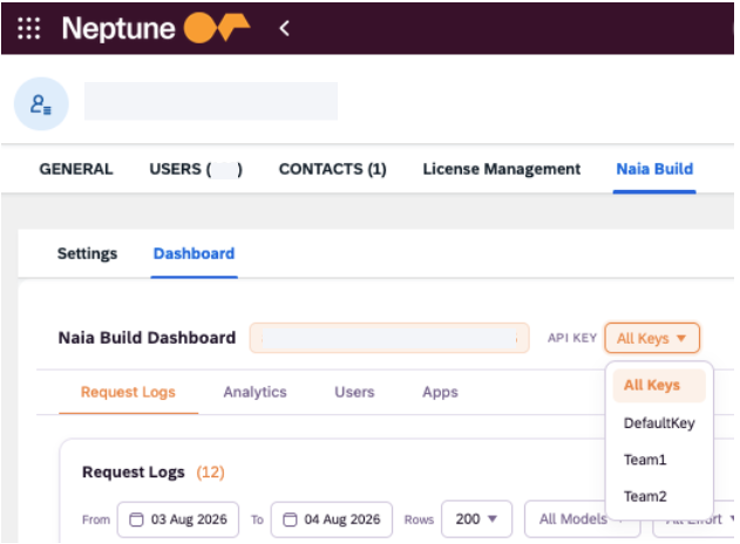
Usage is available within the Naia Build Dashboard for each individual key.
For more information about BYOK and the Naia Build Dashboard, check out the following blog posts:
Naia Build: Bring Your Own Key – Explained
Naia Build: Monitoring Usage via Naia Build Dashboard