






small-hero-bg
Health & Safety Inspections

Safety Inspections That
Fix Issues for Good.

Run safety walks, equipment checks and statutory inspections on a tablet, with or without signal. Every finding gets an owner, a due date and proof of closure, inside SAP.
HS-Header-photo-mix@2x

Trusted by teams who make SAP work every day

FONTERRA_WHITE
STATKRAFT_WHITE
NZ DEFENCE_WHITE
JOHNSON AND JOHNSON_WHITE
FORSVARET_WHITE
SECIL_WHITE
FONTERRA_WHITE
STATKRAFT_WHITE
NZ DEFENCE_WHITE
JOHNSON AND JOHNSON_WHITE
FORSVARET_WHITE
SECIL_WHITE
The Challenge

The Checklist Gets Signed. The Hazard Survives.

You run daily walks, weekly checks on the high-risk areas and the statutory rounds the regulator expects. The inspections happen. What breaks is everything after the tick box.

  • The finding never becomes a job. It sits in a photo on someone’s phone or a line on a clipboard until it is typed into SAP days later, if at all. A notification is never created, so maintenance never sees it.
  • Closure is administrative. Someone changes a status or raises a purchase order, and the action counts as closed. Nobody verified that the guard was refitted or the spill kit replaced.
  • The same hazard comes back under a different name. “Poor housekeeping near the press” in March and “scrap blocking access” in June are the same problem, but nothing links them to the same asset.
  • Due dates drift silently. Actions assigned to “maintenance” with no named owner, evidence in email threads, and a spreadsheet nobody trusts for the monthly safety meeting.
  • The auditor wants evidence, not a signature. ISO 45001 asks for records of the nonconformity, the action taken and whether it worked: who inspected, when, what they saw, what was done and who verified it.
What good looks like

Inspect on Site. Create the Action Before You Leave the Area.

icon

Business Applications

A guided inspection app built from your checklists and SAP master data: the functional location, the equipment, the last inspection’s findings. Photos, measurements, GPS and signatures are captured where the inspector stands. Works offline in basements, tank farms and remote substations and syncs when a connection returns.

icon

Process Orchestration

A failed check creates the SAP PM notification or EHS corrective action on the spot, assigns a named owner from the asset’s work center and sets a due date from severity. Recurring inspections come from SAP maintenance plans. Overdue actions escalate automatically.

icon

AI Agents

Before the walk, an agent pre-fills the checklist with open actions and last findings at each location. After it, it flags findings that match an earlier one at the same asset as repeats and drafts the safety-meeting summary: open, overdue, repeat rate by area.

HS-Module-OnePlatform@2x
What teams run on it

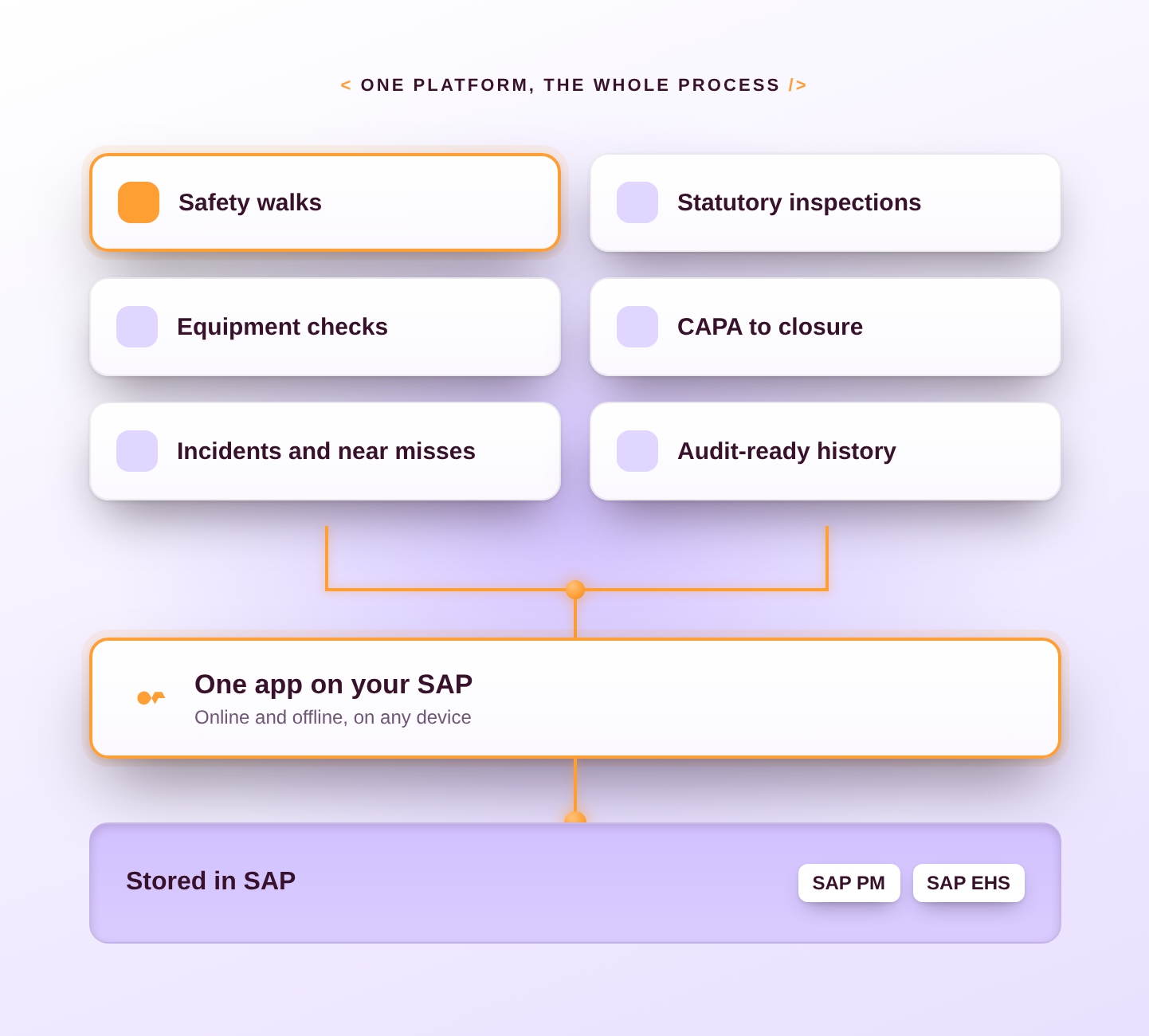
One Platform for the Whole Process.

  • Daily safety walks and weekly area inspections
  • Statutory and compliance inspections on a fixed schedule
  • Pre-use and periodic equipment checks (forklifts, cranes, pressure systems, PPE)
  • Corrective and preventive action (CAPA) tracking to verified closure
  • Incident, near-miss and safety observation reporting
  • Audit-ready history per asset and site: inspector, time, photos, action, verification
Proof

Inspections With a Record,
Not Just a Signature.

Neptune customers run inspection apps built on SAP maintenance and service objects. Statkraft runs operations and maintenance, including inspections, online and offline. Hauni’s technicians work through a guided inspection app whose checklists are built from parts lists of more than 900 items. Vattenfall’s first priority was a checklist in the hands of field workers at remote and offshore sites.

900 +

items in a single inspection checklist, built automatically from the parts list

Hauni

600 +

users managing O&M online and offline

Statkraft

2 months

in the field for the pilot at two remote sites

Vattenfall

A safety walk on the plant floor: checks, photos and findings go straight into SAP from the tablet, with or without signal.

sap-corrective-action-owner-due-date

Manage O&M online and offline

900 +

items in a single inspection list

Customer Stories

Success Stories From Our Clients.


Case Study Feature Image_Statkraft

Statkraft Employee Productivity Increases by 30% With Mobile Capabilities for Its O&M Solutions.

Low-code maintenance apps for manufacturers

Manufacturer Implements a Scalable & Efficient Low-Code Way to Digitize Maintenance Operations.

SAP unified mobile interface

Renewable Energy Pioneer Vattenfall Streamlines Workflows and Increases Predictable Maintenance Capabilities.

Why Neptune

Built on SAP. Built for the Work.

cards-v2-bg2
icon

Native on SAP.

Findings become SAP PM notifications or EHS actions directly, under the roles and authorizations you already run. No second system of record.

cards-v2-bg2
icon

Built for Where Work Happens.

Tablets and phones, gloves and glare, no signal underground or at the fence line. The app keeps working and syncs later.

cards-v2-bg2
icon

Live in Weeks, Not Months.

Start from the inspection template, load your own checklists and SAP locations, and adapt with Naia Build when a new line or regulation arrives.

cards-v2-bg2
icon

Ready for Clean Core and S/4HANA.

Runs on ECC and S/4HANA without modifying the SAP standard.

hero-v2-bg
The SAP-Native Execution Platform

See Health & Safety Inspections in Action on Your SAP.
Make Work Flow.

See how teams like yours run this application on SAP, in a demo built around your process.

  • Run offline & mobile
  • Governance & guardrails
  • Enterprise-grade
  • 15+years inside SAP
FAQ

Frequently Asked Questions

It sits on top. Inspection results, findings and actions are stored in SAP, as PM notifications, EHS incidents or actions, and documents against the asset. Nothing is duplicated outside SAP.

Yes. Checklists, photos and signatures are stored on the device and posted to SAP when a connection returns.

Yes. A failed check creates the notification or action on the spot, with the owner taken from the asset’s work center and a due date set by severity.

The record holds who inspected, when, what was found (with photos and readings), what was done and who verified closure, all against the asset in SAP.

Checklists are configuration, not development. Your own SAP team adds or changes them without a project.