Naia Build 3.0

Generic AI Writes Generic Code. Naia Build Writes for Your SAP Context.

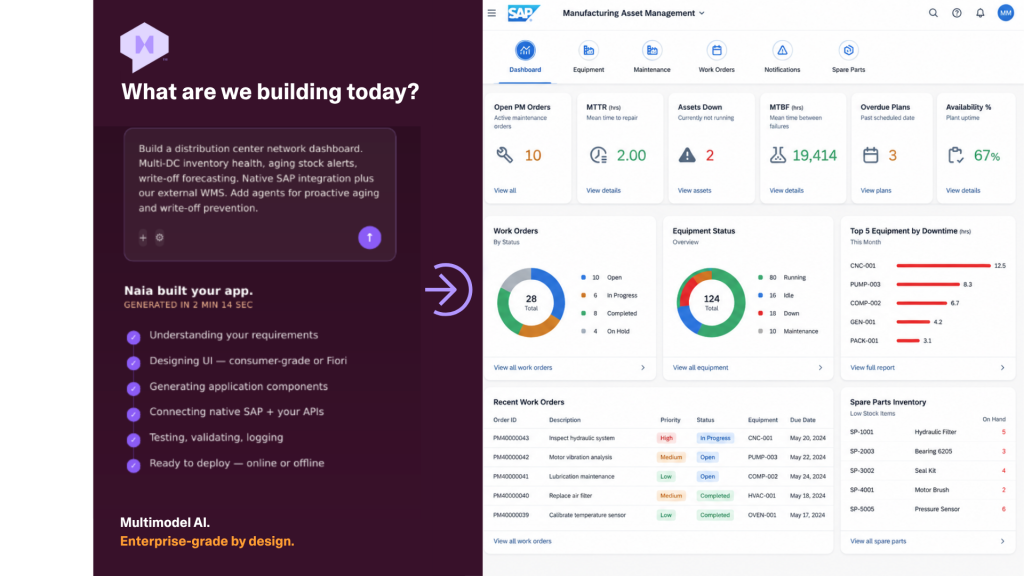
Describe what you need. Naia Build reads your metadata, asks the right questions, and picks the right model. Minutes later, a production-ready app is running on your live data.
AI for Developers_WebsiteHeader5

Trusted by SAP development teams shipping faster


FONTERRA_WHITE
FORSVARET_WHITE
HITACHI_WHITE
JOHNSON AND JOHNSON_WHITE
RUST-OLEUM_WHITE
FONTERRA_WHITE
FORSVARET_WHITE
HITACHI_WHITE
JOHNSON AND JOHNSON_WHITE
RUST-OLEUM_WHITE

One Minute. One App.

Watch Naia Build 3.0 go from a blank prompt to a production-ready SAP app, using real metadata, real APIs, and real SAP data. The demo runs end-to-end on a live SAP system, with no mock data and no isolated sandbox. You see Naia Build pick up the component tree, ask the right questions, lay out a plan, and execute every task in sequence, while the working app takes shape on screen.

Build a SAP App with Neptune AI

From Prompt to Production.
In the Blink of an Eye.

Describe what you need. Neptune AI generates a production-ready app on your existing SAP landscape.
No middleware. No replatforming.

Where other AI tools stop

Most AI Tools Speak Code. Naia Speaks SAP.

Writing code is simple. Writing code that fits the context of your SAP system and is Clean Core compliant is another. Naia Build read your custom and standard metadata, respects your customizations and follows your roles and authorizations.
It plans before it writes, asks before it does and never invents an API that doesn’t exist.
Build SAP Apps Extend to Any External System

Build Production-Ready SAP Apps from a Prompt.

  • Generate full applications from natural language
  • Reuse existing ABAP logic and SAP objects
  • Offline Mobile Native apps out-of-the-box
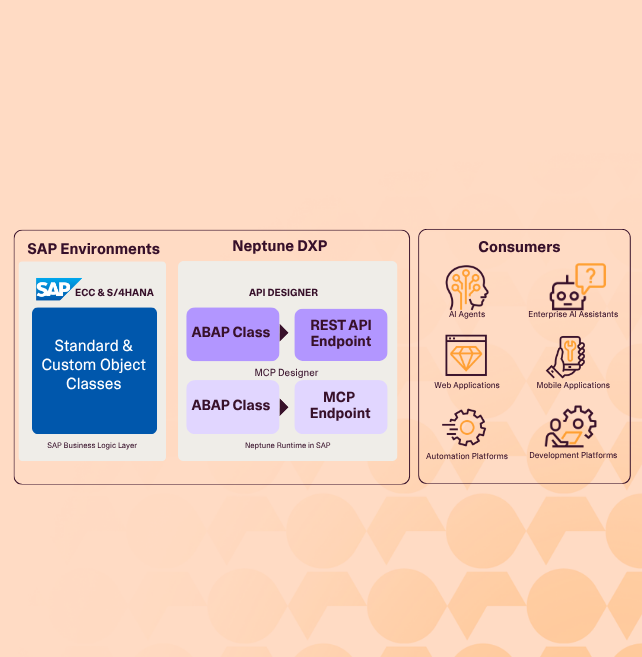
  • Bind to any SAP API in seconds, no middleware in between
  • Enforce naming conventions and code standards by default
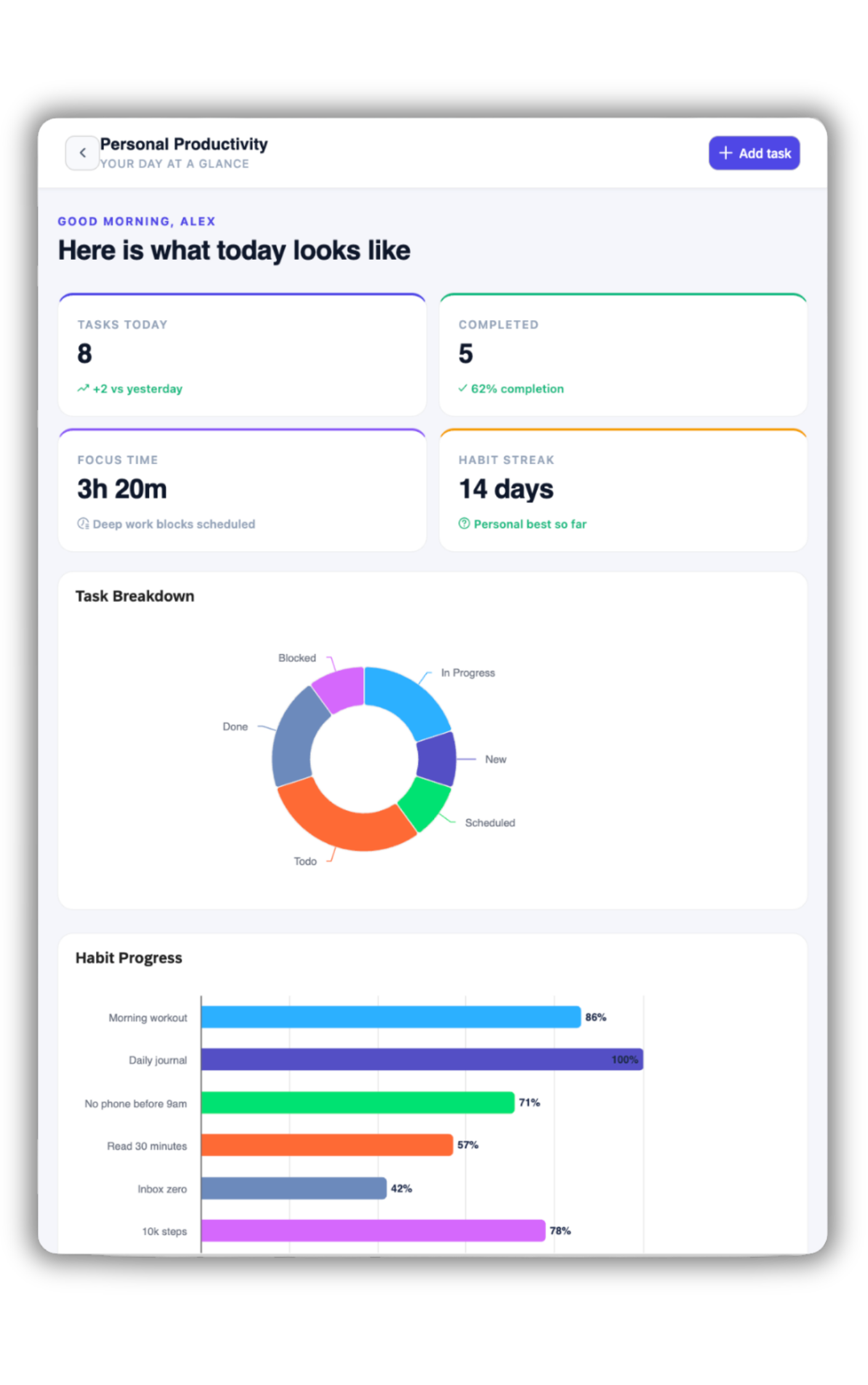
naia build 3.0 tablet dashboard

One App. Multiple Sources. Ready to Ship.

  • Connect to any API of any system
  • Naia calls the endpoint, models the response, threads the data into your app
  • SAP and external data working as one
  • No glue code, no integration layer, no project plan
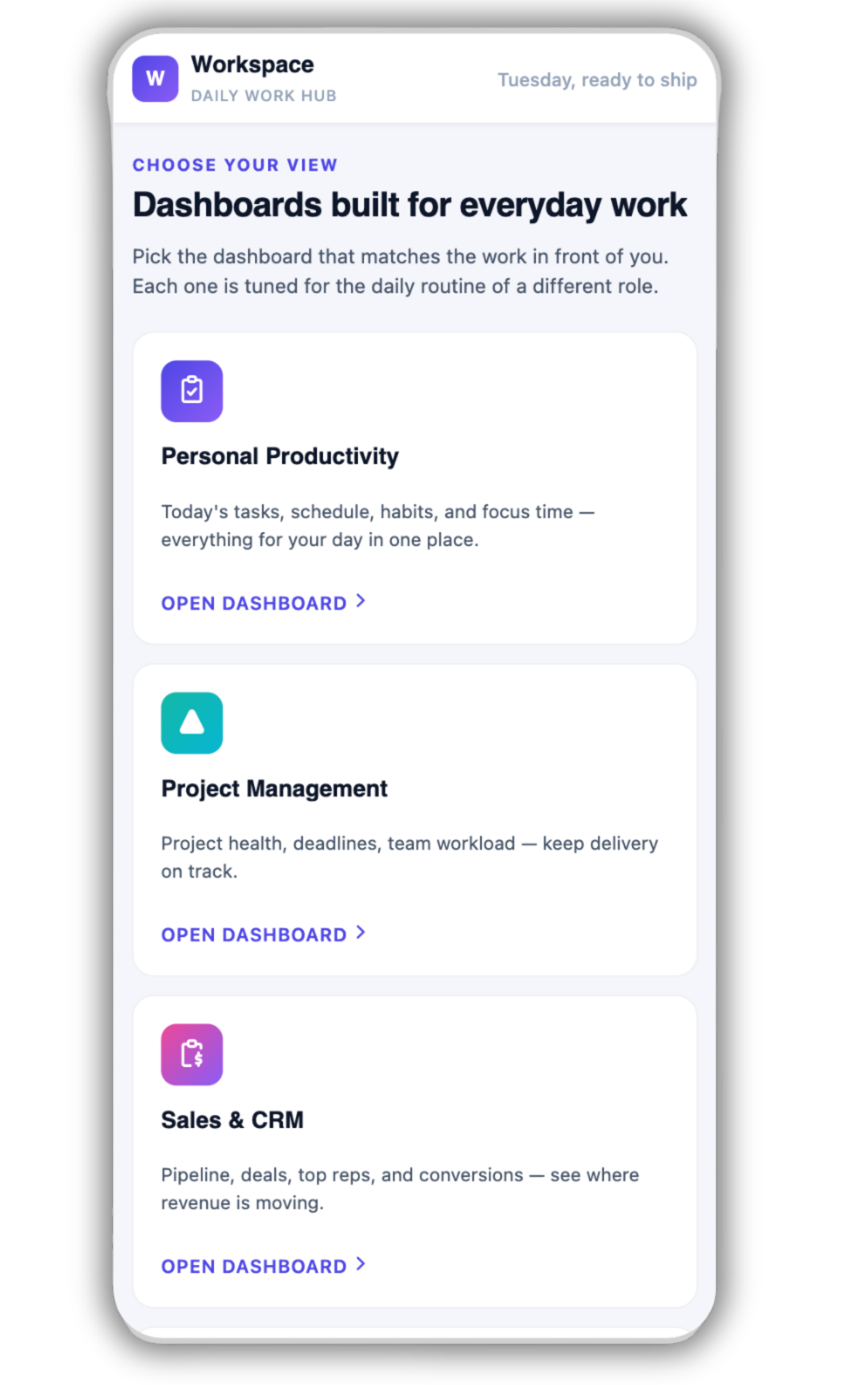
AI generated Mobile application
Agents & Apps

Agentic by Nature.
SAP Native by Design.

computer

Build

Build SAP & non-SAP apps from a prompt.

No-code, low-code, and pro-code in one environment, with reusable logic, native integrations, and AI that generates, refactors, and binds APIs in seconds.

code

Run

Run Apps & Agents under one governance model

With consistent security, access controls, and audit trails. Portability across SAP ECC & S/4HANA and deployment models. On-Premise & Cloud, Online & Offline. Secured & context-aware AI access to your data wherever it lives.
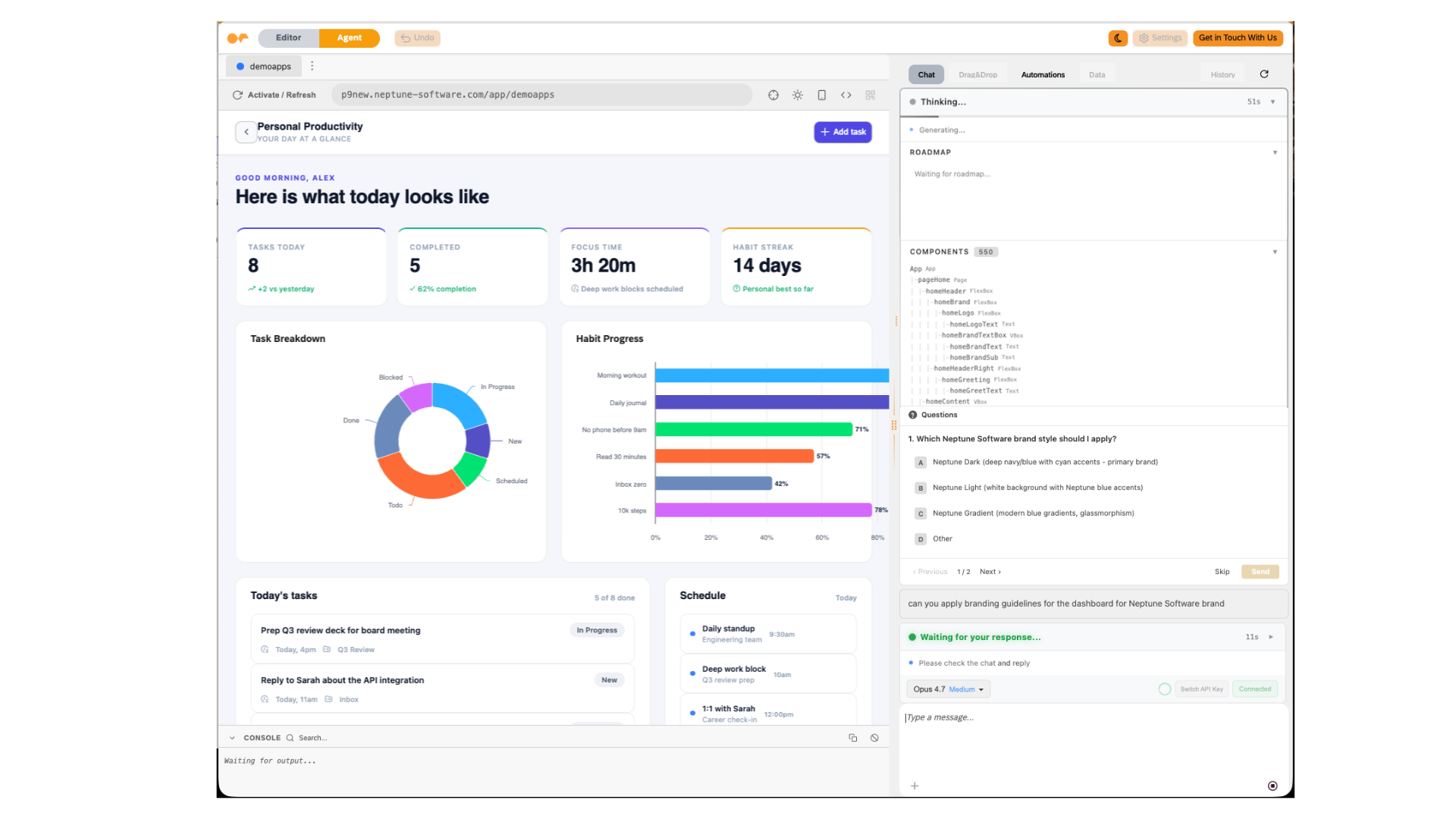
NaiaBuild3.0_Run

See Naia
in Action

mouse

Govern

Govern apps and agents from one platform

With AI-driven observability and continuous extension without replatforming. Multi-LLM flexibility, with compliance built in.

What’s in the box

Everything You Need to Build Faster
at Your Fingertips.

AI 1 Icon
Prompt-to-App

Describe what you want. Naia generates enterprise applications, workflows, dashboards, and SAP-connected experiences.
API Icon 1
API Connection

Bind to any SAP API in seconds. Connect to any external APIs securely. SAP and external data, one app.

UI 1 Icon
Design Your Way

Consumer-grade UX patterns or enterprise SAP Fiori guidelines, per app. Branding & styling governed by App.

Chat Icon
Agent Studio

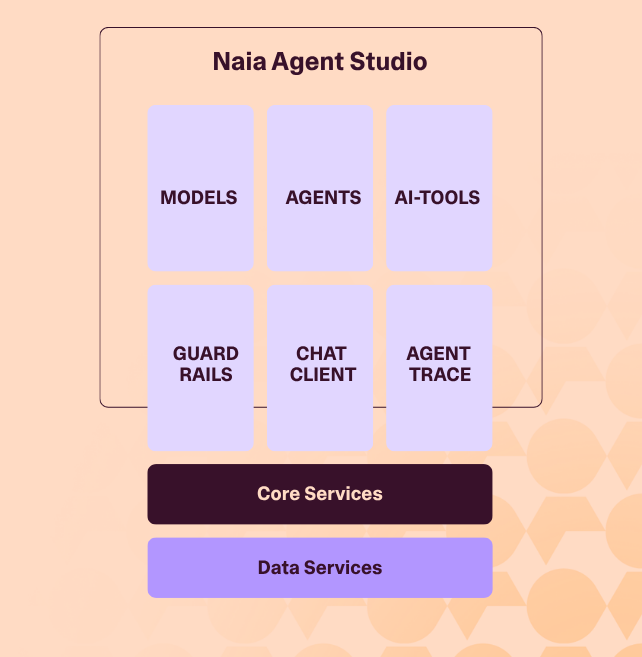
Conversational Agents, Agentic Functions and Agents in processes flows, configured visually inside your apps. One studio. One governance model.

AI 2 Icon
Multi-Model AI

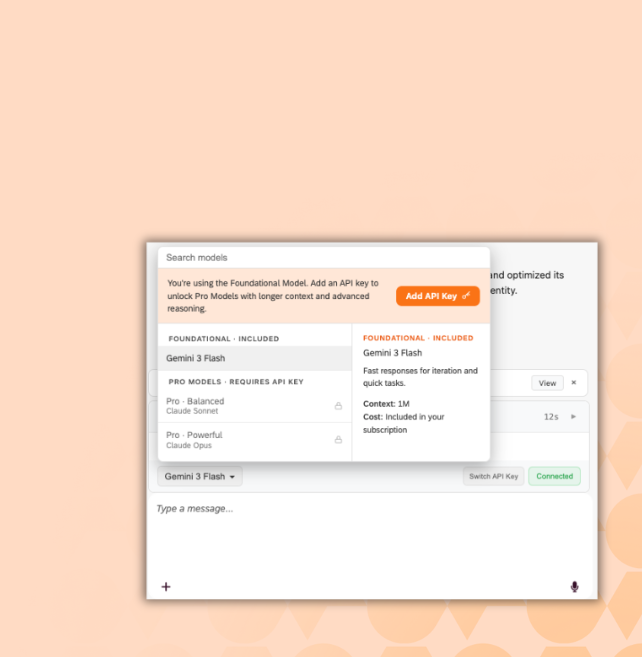
Included, premium, or BYOK. Governance, audit trail, and change log apply uniformly across every model.
Workflow 3 Icon
Fiori Redesign

Import standard SAP Fiori apps. Transform to low-code in one step. Brand & Redesign the experience. Keep the backend logic.

Conversation Icon
Offline by Default

Generated apps work in disconnected environments. Offline Sync and conflict resolution handled by the platform.
Workflow Icon 2
Four Chat Modes

Ask, Agent, Plan. Match the AI’s behavior to the task.

file-terminal

We Love Developers

Including the documentation sets for Neptune DXP – SAP Edition, Neptune DXP – Open Edition, Neptune DXP Cloud, Neptune DXP Portal, and the Evaluation Guide.
shots

Frequent
Asked Questions

Didn’t find what you need?

Six things. Neptune Agent Studio for Conversational Agents and Agentic Functions. Multi-model AI with full BYOK. SAP Fiori import in one step. Offline-by-default generation. Four chat modes (Ask, Agent, Debug, Plan). And external API integration alongside native SAP. Every AI action is planned, approved, and logged under one governance model.

Naia is a combination of HI and AI  (Human Intelligence & Artificial Intelligence), our genius level algorithms and advanced AI powered modeling combined as a developer productivity tool. Naia, set to transform how you interact with our platform, bringing instant benefits and productivity enhancements to our valued customers and partners.

Naia combines Neptune’s data sources like documentation, knowledge base, the Neptune Marketplace, code snippets and more with a large language model. We predefined certain automations like a development co-pilot, the import and export of SAP Fiori Apps into the App Builder, generating graphs to visualize data, creation of mock-up data and more.

Yes, Naia is integrated into Neptune DXP SAP Edition, Open Edition and App Builder.

Yes. Naia’s developer assistant is available now.

Yes. Neptune apps can trigger and display insights from external AI or ML models, whether running in SAP BTP, Azure, or a custom data platform. Use Neptune to collect field data, visualize predictive alerts, and automate follow-ups like work orders or escalations.

Yes. Out of the box. Naia generates apps that work in offline and low-connectivity environments, with sync and conflict resolution handled by the platform. Suitable for field maintenance, manufacturing floors, vessels, retail backrooms, and any other environment where connectivity is unreliable.

The Agent Studio is where you configure two types of AI agents, visually and without code. Conversational Agents are chat-driven and user-facing. Agentic Functions are script-invoked, called by your code when deterministic logic falls short. Both come from the same studio. Both embed inside your Naia apps. Both operate under the same authentication, data perimeter, and audit trail.

A Conversational Agent sits in the app’s UI and talks to a user. Interactive. An Agentic Function sits in the app’s code and is called by a script. Programmatic. Both reason rather than follow hard-coded rules. They serve different parts of the app: conversational where the human needs help, function where the code needs reasoning.

Naia Build isn’t tied to a single AI vendor. The platform runs multiple AI models under one governance architecture: included foundation models for everyday work, premium models for complex tasks, and full BYOK for whichever model your organization standardizes on. Governance, audit trail, and change log apply uniformly across every model. Switch a model. The rules don’t change.

BYOK lets you bring your own API key for premium AI models. The key is encrypted and stored in your Neptune tenant. Billing flows through your own model-provider contract. Neptune doesn’t sit between you and the model provider on either contract or tokens, so your AI spend lives on your own infrastructure budget.

Both. You choose the design language per app. Consumer-grade where modern UX matters most. SAP Fiori where compliance and consistency matter most. App-scoped CSS keeps styling decisions inside the app. They never bleed across projects.

Yes. Naia Build imports standard SAP Fiori applications and transforms them to low-code in one step. The imported app is then available for refactoring, redesign, governance, and integration with agents from the Agent Studio. Underlying business logic stays intact.